No products in the cart.
Roll over image to zoom in
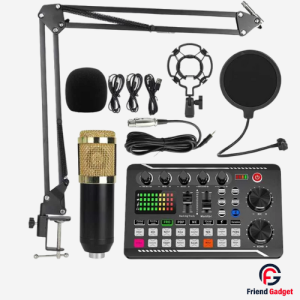
P300 Live Sound Card for Live Streaming & Podcast
4,200.00৳ 5,500.00৳ (-24%)
Key Features
Model: P300 Live Sound Card
Product Type: Live streaming audio sound card / mixer
Main Uses: Live streaming, podcasting, voice recording and audio mixing
Target Users: Content creators, streamers and podcasters
Compatibility: Must be verified against the exact unit and required cables
P300 Live Sound Card for Live Streaming & Podcast
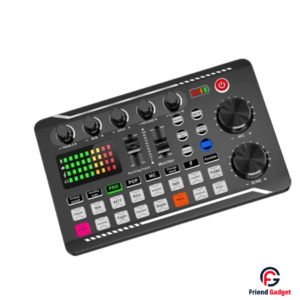
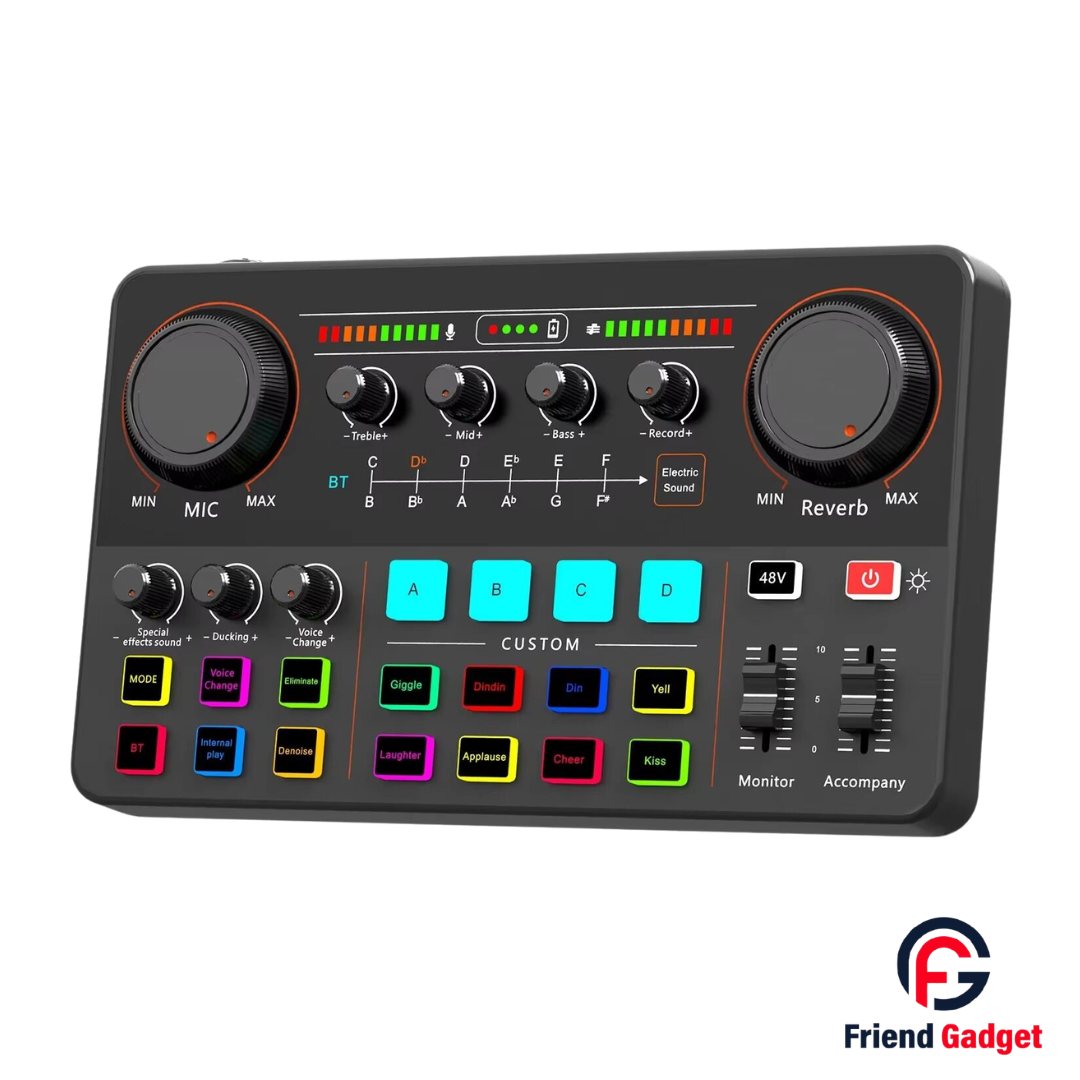
The P300 Live Sound Card is a versatile audio mixer designed for live streaming, podcasting, voice recording and online content creation. It features dedicated MIC and Reverb controls, Treble, Mid, Bass and Record adjustments, along with multiple voice and sound-effect buttons.
Moreover, the P300 includes Monitor and Accompany sliders, Bluetooth and Internal Play controls, and several audio connection ports. As a result, it offers creators a convenient control panel for managing different parts of their audio setup. Check the port compatibility and included accessories before purchasing.
Specifications
| Specification | Details |
|---|---|
| Brand | Not visible in supplied images |
| Model | P300 |
| Product Type | Live sound card / audio mixer |
| Microphone Control | MIC level knob |
| Sound Adjustment | Treble, Mid, Bass, Reverb |
| Recording Control | Record knob |
| Voice Effects | Voice Change, Special Effects Sound |
| Other Controls | Ducking, Monitor, Accompany |
| Custom Buttons | A, B, C, D |
| Playback Controls | Bluetooth (BT), Internal Play |
| Microphone Connections | Labels include Condenser Mic 1, Condenser Mic 2 and 48V/Dynamic Mic |
| Other Connections | OTG/PC Live, LIVE, AUX-IN, Earphone, Headset |
| Charging Input | Labelled 5V⎓1A |
| Battery Capacity | Not confirmed |
| Wireless Version | Not confirmed |
| Warranty | Confirm with supplier |
Package Contents
Confirm the actual package before publishing:
P300 Live Sound Card
Connection cables, if included
Charging cable, if included
User manual, if included
P300 Live Sound Card for Streaming and Podcasting
The P300 Live Sound Card is designed for creators who want greater control over their audio setup. Whether you host a podcast, stream live content or record voice audio, this mixer provides dedicated controls for several sound adjustments. In addition, its colorful buttons make the different sound-effect and custom-control sections easy to identify.
Dedicated Audio and Microphone Controls
The P300 features a large MIC control for adjusting the microphone level, while the Reverb control lets users adjust the reverberation effect. Furthermore, dedicated Treble, Mid and Bass knobs provide separate tone adjustments. The Record control offers another dedicated adjustment for the recording section.
These physical controls give users direct access to important audio settings. However, the final sound depends on the microphone, connected equipment and configuration.
Voice Changing and Special Sound Effects
The P300 includes controls labelled Special Effects Sound, Ducking and Voice Change. Therefore, it is suitable for creators who want to experiment with different audio effects during compatible recording or streaming sessions.
The front panel also displays effect buttons labelled Giggle, Dindin, Din, Yell, Laughter, Applause, Cheer and Kiss. Moreover, four blue buttons labelled A, B, C and D form a separate Custom section. The precise function of each custom button depends on the device’s operating mode.
Reverb and Tone Adjustment
Different types of content benefit from different audio settings. For example, spoken podcasts may need a different tone and reverb level from entertainment streams. The P300 provides dedicated controls for Treble, Mid, Bass and Reverb, helping users adjust these settings directly on the panel.
Consequently, creators can experiment with the available controls to find settings that suit their voice and content style.
Multiple Audio Connection Options
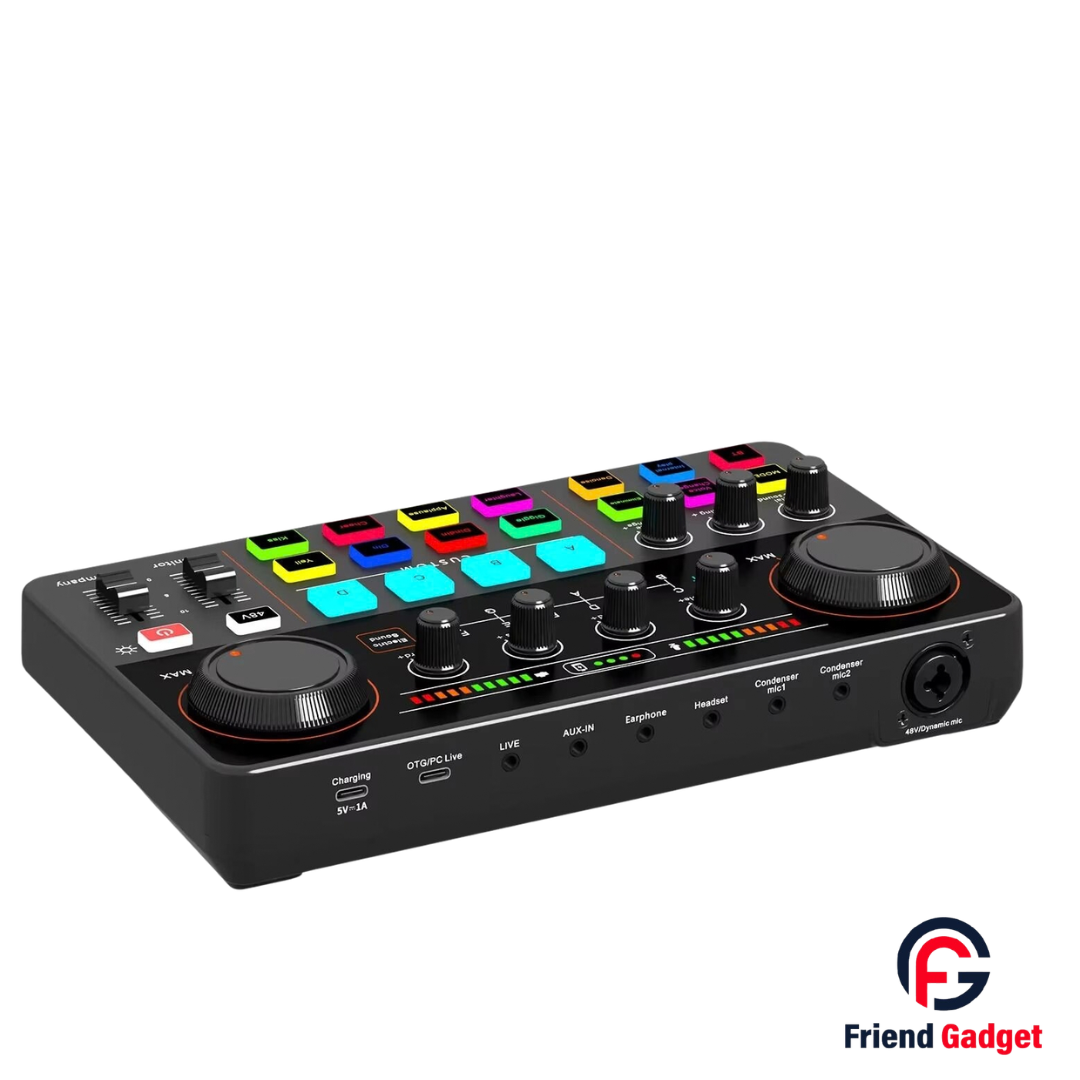
The side panel displays several labelled connections, including OTG/PC Live, LIVE, AUX-IN, Earphone and Headset. It also shows connections labelled Condenser Mic 1, Condenser Mic 2 and 48V/Dynamic Mic.
In addition, a separate Charging port is marked 5V⎓1A. These labels help users identify the intended connection points. Nevertheless, check the connector type and compatible cable before connecting a phone, computer, microphone or other audio device.
Monitor and Accompany Controls
The P300 includes separate sliders labelled Monitor and Accompany. These controls provide dedicated adjustment points for the corresponding audio functions. Furthermore, the front panel includes a 48V button, so users should consult the product manual and microphone requirements before enabling phantom power.
Bluetooth and Internal Playback
The front panel features Bluetooth (BT) and Internal Play buttons. These controls indicate support for Bluetooth-related and internal-playback functions, although the exact operating modes should be confirmed using the supplied manual.
As a result, the P300 offers several controls to explore when setting up a compatible audio workflow.
Who Should Consider the P300 Live Sound Card?
The P300 may suit:
- Live streamers and online content creators
- Podcast hosts and interview creators
- Users recording voice content
- Creators who want physical sound and effect controls
- Users building a compatible home audio setup
Why Choose the P300 Live Sound Card?
The P300 brings several audio controls together in one panel. Moreover, its dedicated tone knobs, microphone and reverb controls, effect buttons, custom section and multiple labelled connections give users a range of controls to explore.
Before buying, confirm that the available ports support your intended microphone and recording device. This step helps you avoid connection problems and choose the right accessories.
Buy P300 Live Sound Card from Friend Gadget BD
Looking for an audio mixer for streaming, podcasting or voice recording? Consider the P300 Live Sound Card from Friend Gadget BD. Check the current price, warranty, package contents and compatibility details before placing your order.
What is the P300 Live Sound Card used for?
It is designed for audio setups involving live streaming, podcasting and voice recording, with dedicated sound adjustment and effect controls.
Does the P300 have voice-changing effects?
Yes, the supplied image shows a Voice Change control and a Voice Change button.
Can I connect a microphone to the P300?
The panel shows connections labelled for condenser microphones and a 48V/Dynamic Mic input. Verify the required connector and microphone compatibility before use.
Does the P300 support Bluetooth?
The front panel includes a Bluetooth (BT) button. The exact Bluetooth functions and version should be confirmed from the manual.
What is the 48V button for?
The panel includes a 48V button. Before enabling it, check the manual and the connected microphone’s requirements to avoid compatibility issues.
Can I use the P300 with a computer or smartphone?
The panel includes an OTG/PC Live connection. However, you should verify the correct cable and device compatibility before connecting your equipment.